A kitchen for ChatGPT & the web
A little planning.
A week of good meals.
Keep the recipes you love, give them a place in your week, and turn your plan into a shopping list. All in one kitchen.
Choose a launch notification or register platform interest. An interest button does not promise a native release.
Sign in with ChatGPT to open your private kitchen.
“Help me plan this week using my saved recipes.”
Try asking in ChatGPT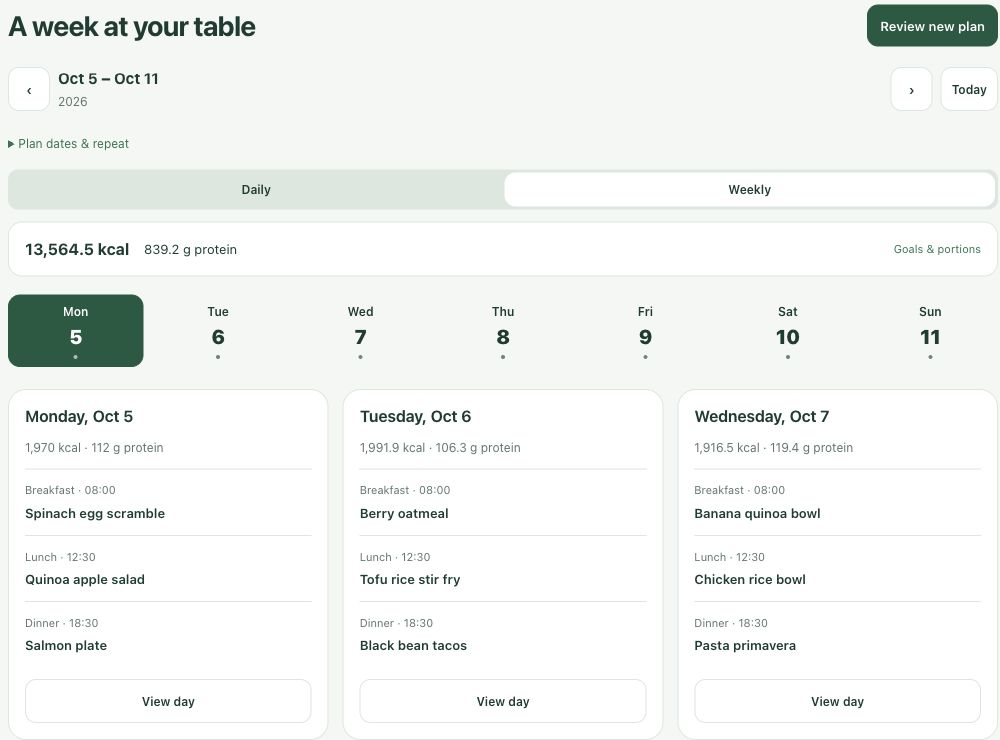
From “what’s for dinner?”
to a plan you can use.
Start with your own cookbook. MealPrep connects the next few steps.
Keep a recipe.
Save a favorite or import recipe text. Review the ingredients and instructions before adding it to your cookbook.
Make room for it.
Schedule meals by day, review a suggested week, and adjust portions around your household’s goals.
Take the list.
See the ingredients for your plan, account for recorded pantry stock, and add the extras you need.
A conversation,
with a kitchen beside it.
Ask in ChatGPT, then work with your recipes, plan, and shopping list in the kitchen. Open the web app when you want more room.
Give your saved recipes a place in the week.Actual UI · demo dataOpen full-size screenshot
The plan comes
to the grocery store.
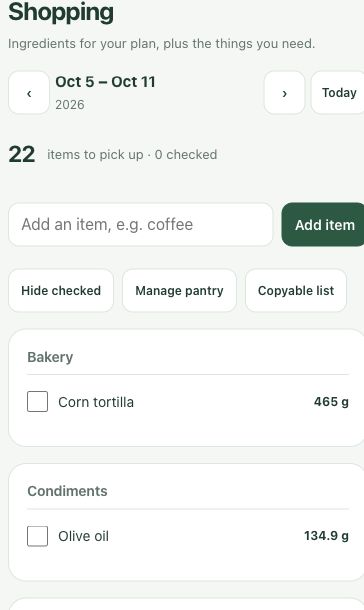
Your shopping list follows your planned portions. Ingredients are grouped by category, so you can check them off as you go.
- Subtract the pantry stock you recorded.
- Add coffee, dish soap, and the other extras.
- Keep planned nutrition and food you logged in separate views.
Screenshots use synthetic demo data. Nutrition values are estimates.
Before you start
Where can I use MealPrep?
Open the web kitchen and sign in with ChatGPT, or use the connected MealPrep app inside ChatGPT. This page describes that ChatGPT/web product.
Is this the native Apple app?
This is MealPrep for ChatGPT and the web. The native MealPrep Apple app is a separate product. This page does not offer an App Store or Google Play download.
Can I review a plan before saving it?
Yes. Preview a suggested week, review the recipes and portions, and confirm the changes you want to keep. Imported recipes also start as drafts for review.
How should I use nutrition information?
Use it as an estimate for planning. Check recipe ingredients, portion sizes, and labels yourself, especially when they matter to your dietary needs.
Make a little room
for next week.
Your recipes are a good place to start.